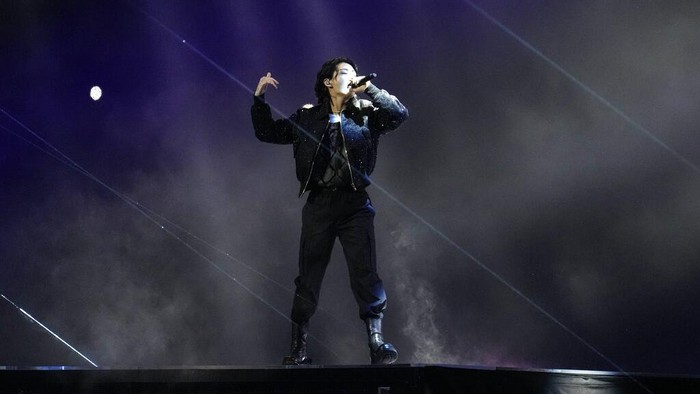
MOMSMONEY.ID - Member BTS Jungkook ikut memeriahkan acara Piala Dunia 2022. Anda bisa download lagu MP3 Dreamers Jungkook OST Piala Dunia 2022. Jungkook membawakan lagu Dreamers yang merupakan official soundtrack Piala Dunia 2022. Anda dapat download lagu MP3 Dreamers Jungkook OST Piala Dunia 2022 di artikel ini. Artikel ini akan membagikan cara download lagu MP3 Dreamers Jungkook OST Piala Dunia 2022.

 Lirik Lagu Dreamers - Jungkook BTS Look who we are, we are the dreamers, We’ll make it happen ’cause we believe it Look who we are, we are the dreamers, We’ll make it happen ’cause we can see it Cause to the one that keep the passion, respect, oh yeah Cause to the one that got the magic, respect, oh yeah Gather ’round now look at me Respecting love the only way If you wanna come, come with me The door is open everyday This one plus two rendezvous all at my day This what we do, how we do Look who we are, we are the dreamers, We’ll make it happen ’cause we believe it Look who we are, we are the dreamers, we’ll make it happen ’cause we can see it Cause to the one that keep the passion, respect, oh yeah Cause to the one that got the magic, respect, oh yeah Look who we are, we are the dreamers, we’ll make it happen ’cause we believe it Look who we are, we are the dreamers, We’ll make it happen ’cause we can see it Cause to the one that keep the passion, respect, oh yeah Cause to the one that got the magic, respect, oh yeah Baca Juga: 5 Cara Memperbesar Ukuran JPG Tanpa Aplikasi, Begini Ubah Ukuran Foto dengan Mudah Download lagu mp3 Dreamers Jungkook Anda bisa download lagu MP3 Dreamers Jungkook melalui YouTube, berikut caranya: Savefrom 1. Buka YouTube 2. Salin link video YouTube berikut ini: https://www.youtube.com/watch?v=Jm29kLeWqDA 2. Kemudian, buka situs savefrom.net 3. Paste link YouTube pada kolom yang tersedia di situs Savefrom.net 4. Pilih format Mp3, lalu klik Download. Tunggu hingga proses download selesai Baca Juga: 5 Cara Download Lagu MP3 dari YouTube Tanpa Aplikasi Paling Mudah Cara download lagu MP3 dari YouTube TubeNinja.net 1. Copy link video YouTube yang ingin Anda unduh 2. Lalu akses situs https://www.tubeninja.net/ 3. Paste link video Youtube di kolom bertuliskan ‘Paste a link or write’ lalu pilih format file 4. Setelah itu, klik ‘Download’ di sebelah kanan. Tunggu hingga proses download selesai. Snaptube 1. Instal aplikasi Snaptube 2. Buka aplikasi Snaptube 3. Cari video yang ingin Anda untuh dari YouTube 4. Lalu salin dan tempel di kolom yang tersedia di aplikasi Snaptube 5. Klik Download dengan format MP3 6. Jika proses download selesai, maka file akan langsung tersimpan di galeri HP. Extension 1. Tambahkan ekstensi Addoncrop YouTube MP3 Converter ke Chrome atau Firefox Anda. 2. Buka video YouTube yang ingin Anda unduh. 3. Klik ikon YouTube MP3 Converter di bilah menu kanan atas browser Anda. 4. Pilih bitrate MP3. Anda harus memilih 320Kbps jika Anda ingin kualitas tinggi. 5. Klik "Unduh" untuk menyimpan lagu ke komputer Anda. Baca Juga: Begini Cara Hapus Riwayat Pencarian Youtube di HP dan PC biar Enggak Ketahuan Cara download video YouTube Anda bisa menggunakan situs web seperti SaveFrom 2.0 dan 72mate untuk download video YouTube. Pengguna dapat mengunduh video YouTube langsung dari situs web tersebut. 1. Salin tautan video YouTube. 2. Buka salah satu web yang tercantum di atas. 3. Tempel tautan video YouTube.